App overview
Bottom navigation
Bots (far left) is where you create strategies, bots and backtests.
Statistics (second from the left) shows statistics for your closed trades.
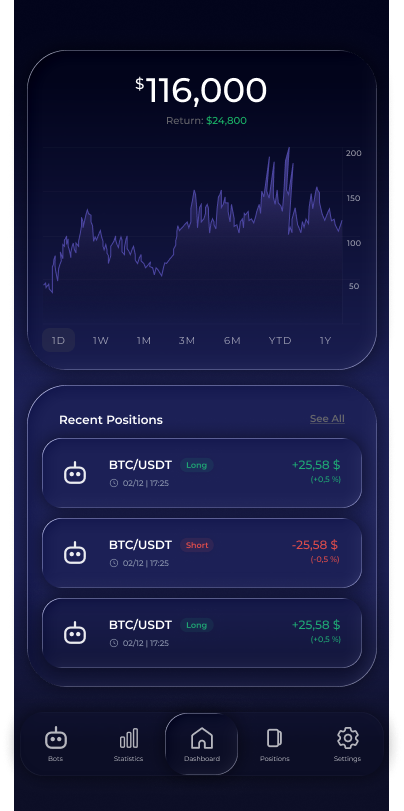
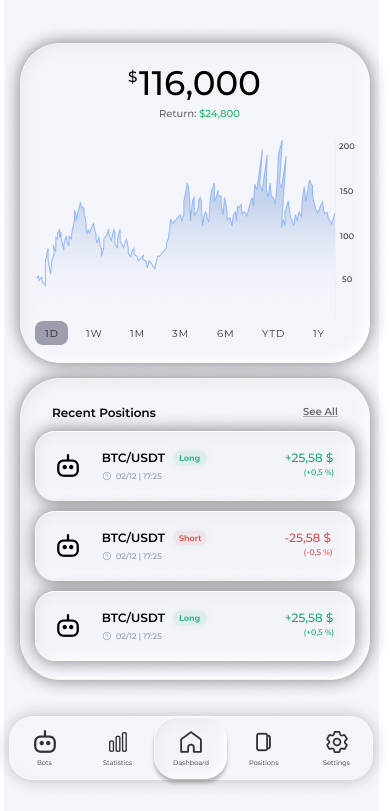
Dashboard (centre) gives you a quick overview, access to the economic calendar and conversations with Voxum AI.
Positions (second from the right) contains recommendations, open positions and limit orders. This is where you manage your positions.
Settings (far right) lets you select a language, configure contract sizes, enable notifications and manage your account and subscription.
Dashboard
The Dashboard contains widget cards. Currently available: a profit chart, recent positions, recent recommendations, upcoming news and Voxum AI.
You can choose and reorder widgets: press and hold a widget to reveal Add Widget at the bottom. While this button is visible, press and hold a widget card and drag it up or down to the position that suits you.
News calendar
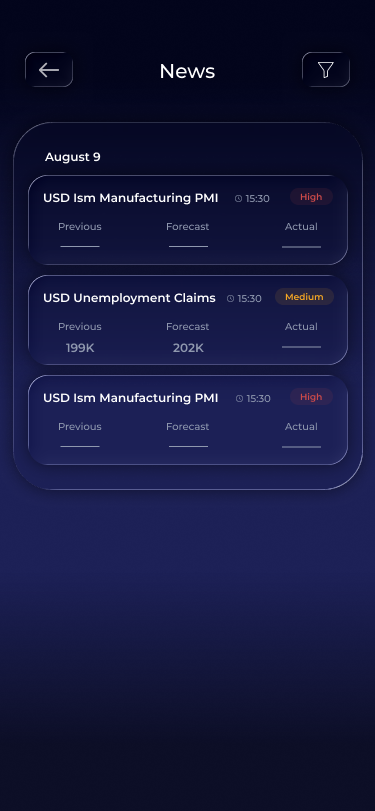
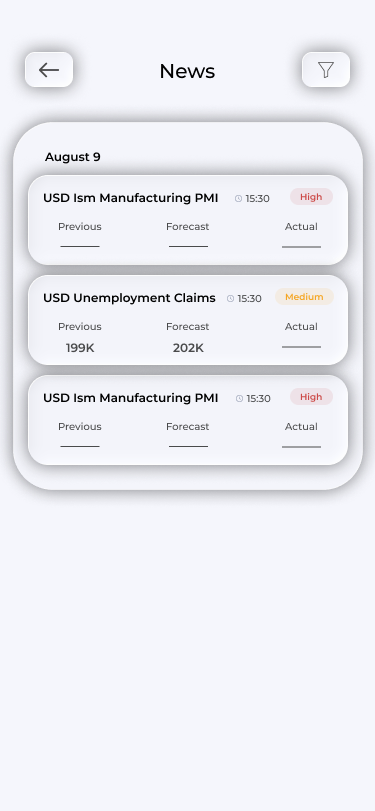
The Upcoming News widget shows upcoming macroeconomic events. Tap it to open the economic calendar, with releases by day, importance and actual, forecast and previous values. The filter in the top right narrows the list by importance and currency.
If the widget is missing, add it by holding any card and choosing Add Widget.
Frequently asked questions
How do I restore a widget I removed?
Hold any card on the Dashboard, then tap Add Widget to see widgets you have not selected.
Where are my strategies?
In the Bots tab, under My Strategies.