Strategy library
The folder in the top right of the Whiteboard opens strategy storage. It contains two types of strategies:
- App templates: layouts we have built to help you start;
- Drafts: everything saved with Save Template. Drafts can be sketches for future strategies or hold tested layouts.
Templates
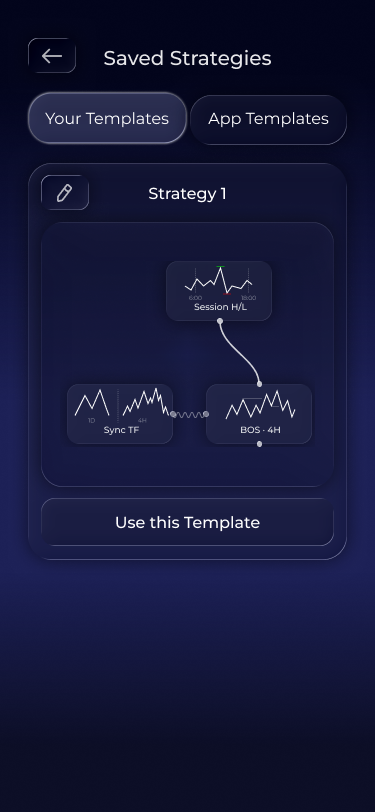
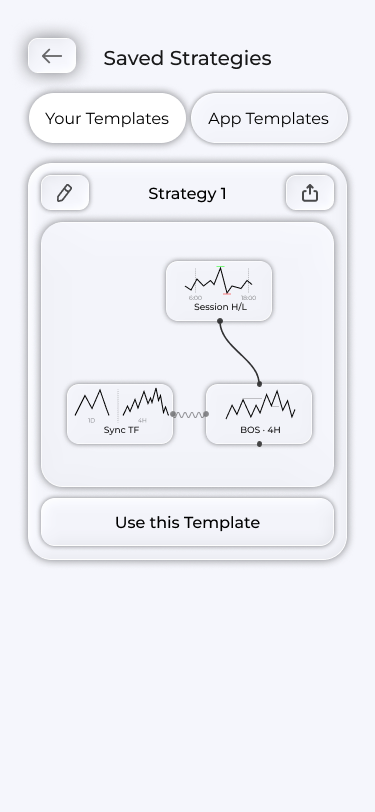
Templates are ready-made strategy layouts you can copy to your whiteboard and adapt.
Each template has a miniature whiteboard preview, showing blocks and connections before cloning.
Cloning
Use this Template copies the template layout to your whiteboard. It then becomes your own strategy: change blocks, settings and wires, then save.
A template is a learning example, not a promise of profit. Backtest the cloned template on your pairs before relying on it for decisions.